I built Eclipse Shield for the hours when I sit down to do one thing and the open tabs argue for another. It is my focus tool: a Flask backend in secure_app.py, and a browser extension that asks that backend about each visit before the visit settles in.
I keep this page as a logbook rather than a pitch. Each entry below records one part of the tool as I have it: what it is, how a visit gets decided, what the extension does, how I run it, and where it stands when I am being plain about it.
themed-banner: the naming picture for this build, the shield at full span over the desk it guards.
Observation 01
What it is
Entry: the tool itself
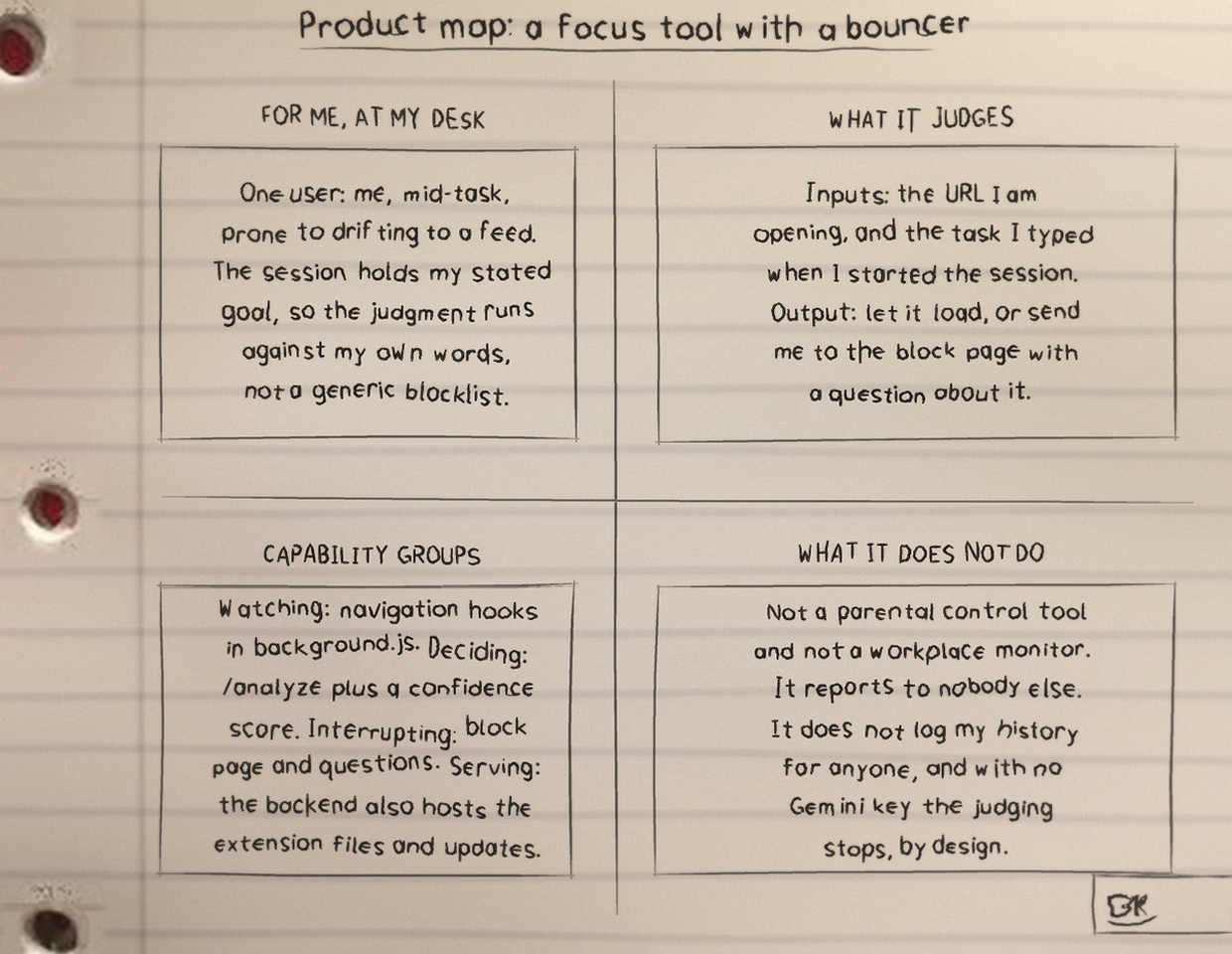
Eclipse Shield is a focus tool I wrote for my own desk. I set a context first, in plain words: what I am working on, and what counts as serving that work. Then, when I visit a site, the tool checks that visit against the context I set, instead of against a fixed list that cannot tell study from distraction.
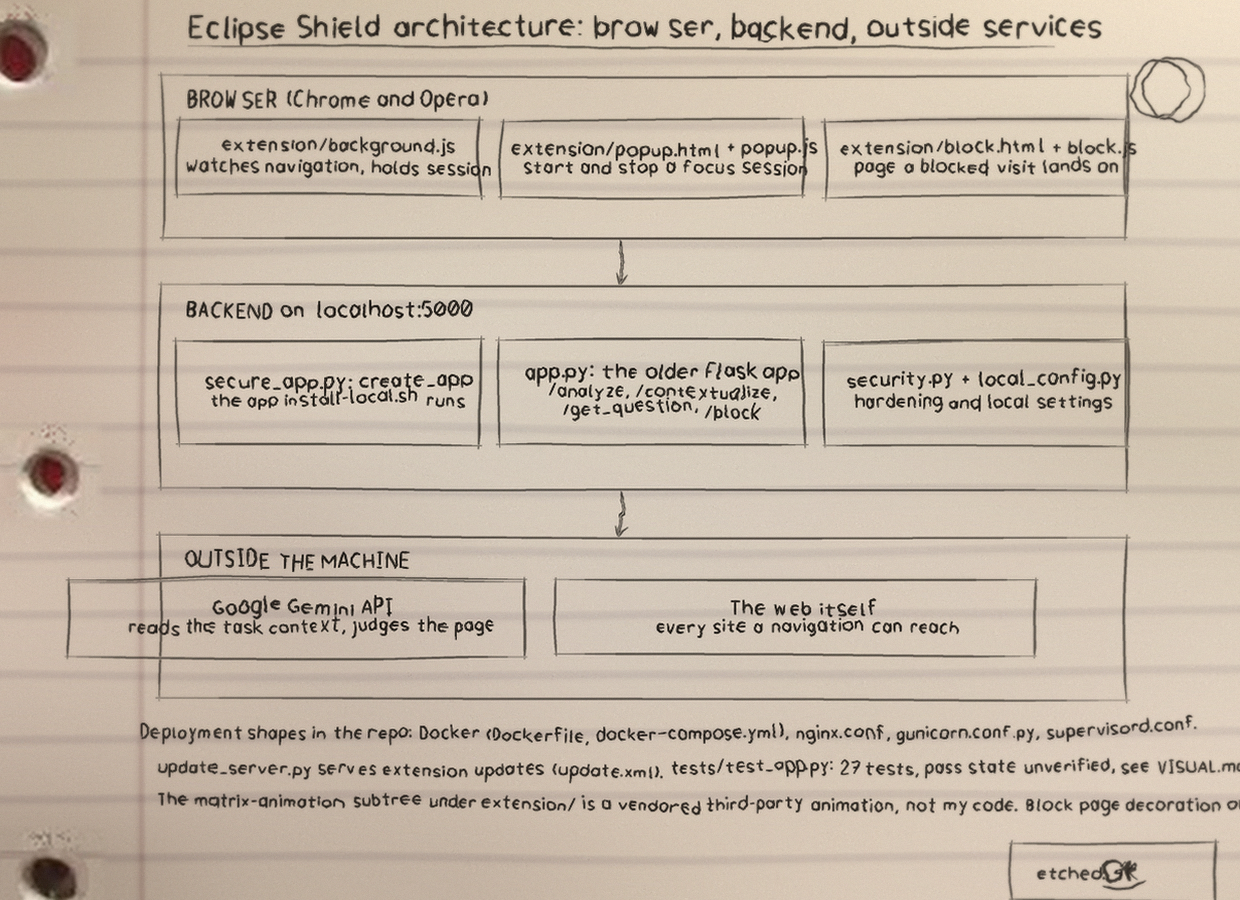
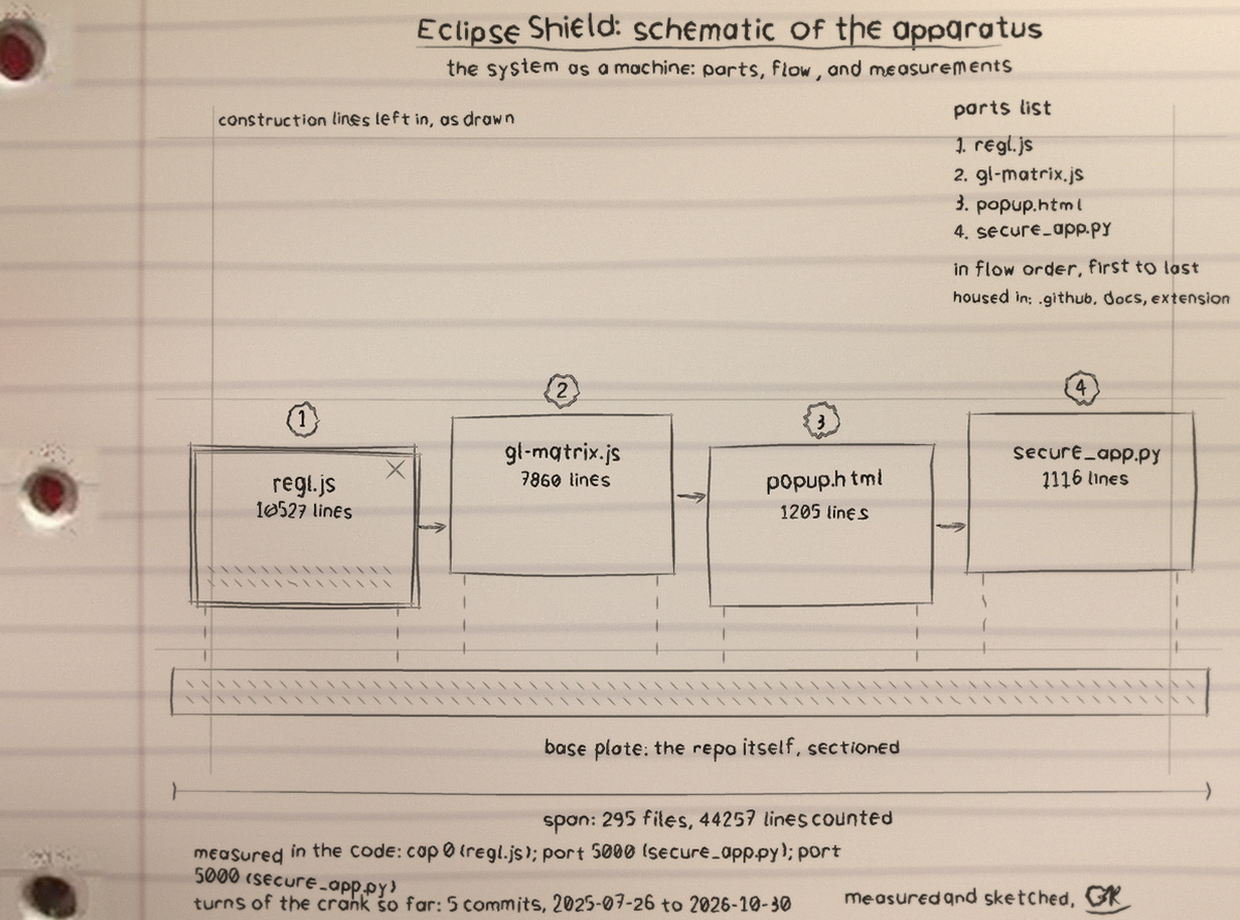
The moving parts are two. The backend is secure_app.py, a Python Flask service that serves on localhost:5000 and holds my lists, my category rules, and the deciding logic. The extension, in the extension folder of the repo, lives in the browser (Chrome and Opera), watches the visit, and talks to the backend about it.
That split is the whole shape of the project. The browser side sees the visit as it happens. The backend side decides, using rules I wrote and, only when I supply a key, an AI call. Entry two logs that decision order exactly as I run it.
Observation 02
How a visit gets decided
Entry: precedence, in order
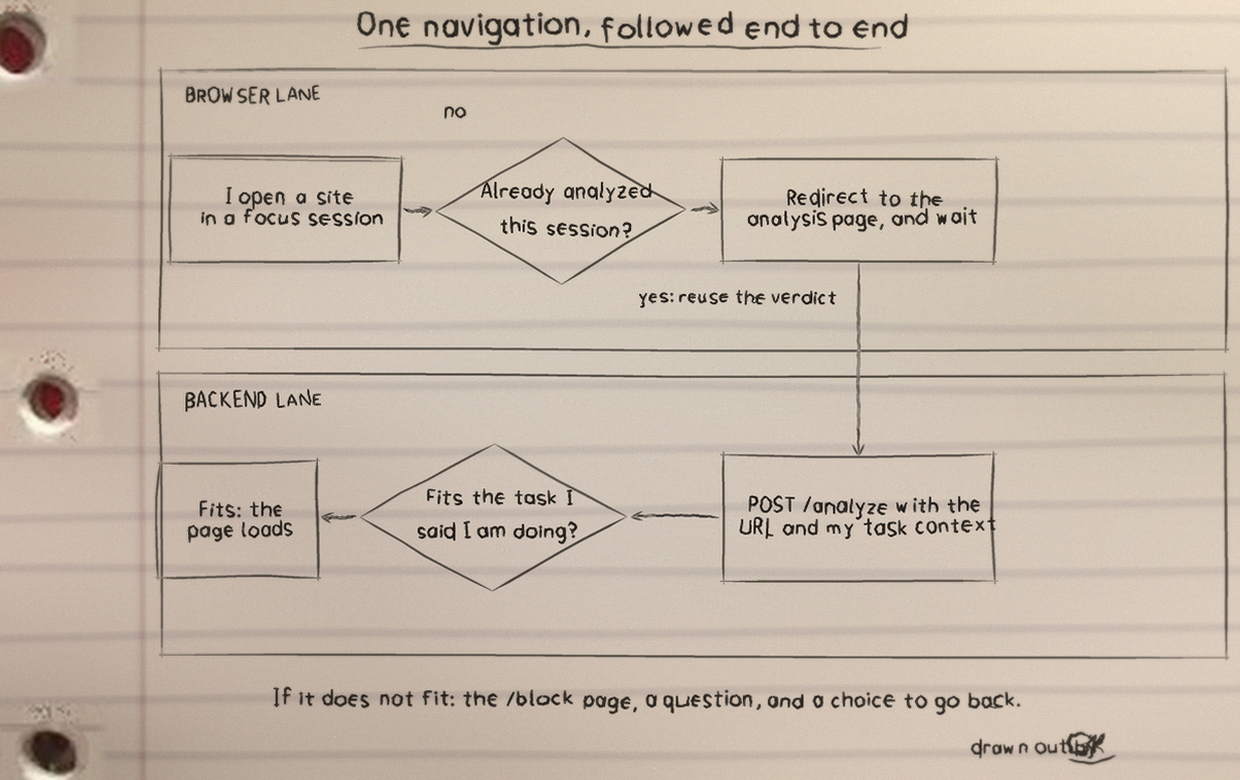
I gave the decision a fixed order, and the order is the point. My explicit lists outrank everything. A category rule comes next. The AI is asked only when no rule has settled the visit and only when I have supplied my own Gemini key. When I have supplied no key, the rules decide alone, and the tool says so rather than dressing that up.
Allow list. If I put a site on my allow list, it loads. My explicit word settles it.
Block list. If I put a site on my block list, it is blocked. Again, my explicit word settles it.
Category rules. If a category rule matches the visit and my current context, that rule applies.
Gemini AI, when keyed. If no rule matches and I have supplied my own Gemini key, the backend asks the AI, with my stated context and goals as the basis.
Rules only, when not keyed. If no rule matches and I have supplied no key, the rules alone decide. The /health route reports this state as local-only, in its ai field.
Observation 03
The extension
Entry: the browser side
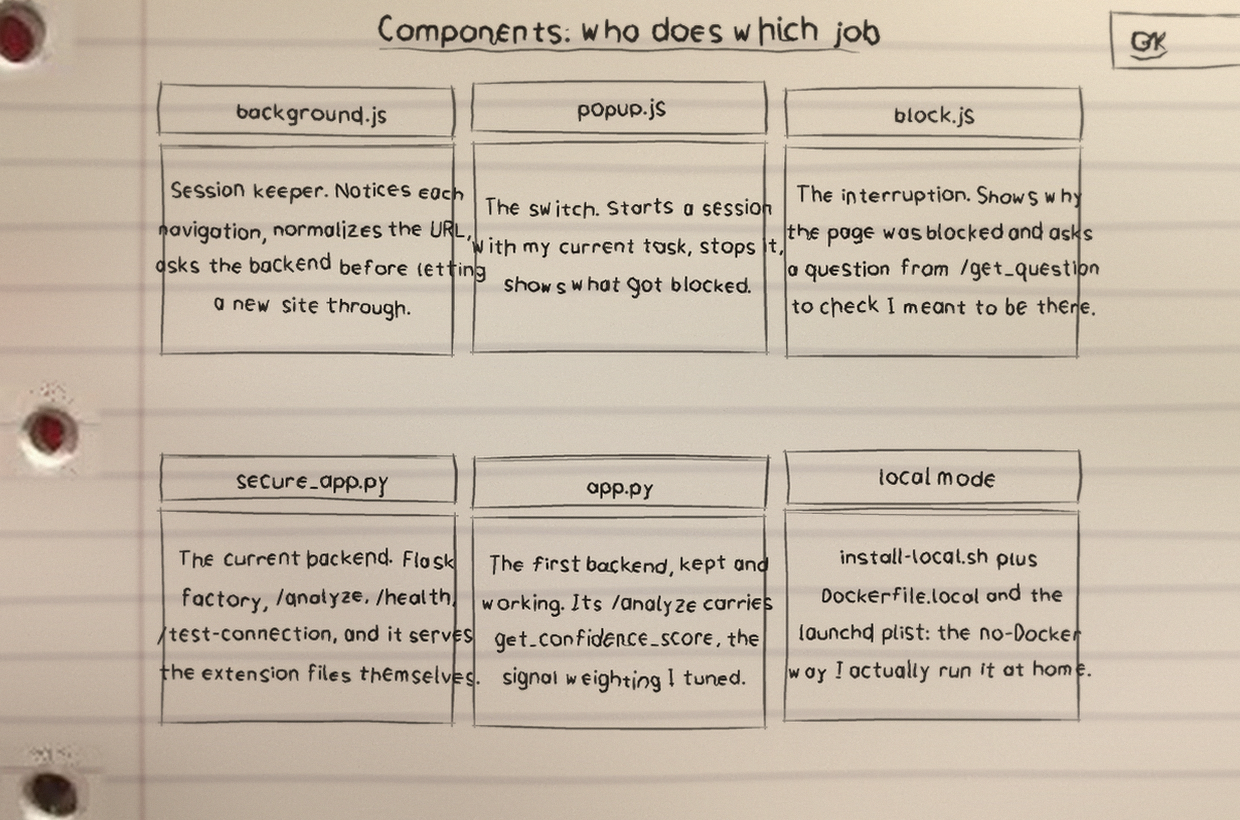
The extension is the part that sits with me in the browser. The repo carries its files in the extension folder, including popup.html and popup.js, background scripts for Chrome and Opera, manifest files for each, and the matrix-animation folder. It reports the visit to secure_app.py and acts on the answer it gets back.
I have exactly one genuine screenshot of it in the repo, and I would rather show that one honestly than stage a set. It is the matrix animation screen, below. The drawings after it come from my Eclipse-Shield-Visuals folder, and I caption them as drawings, not as screens.
The extension matrix animation screen, from extension/matrix-animation/screenshot.png in the repo. This is the only screenshot the project has, so it is the only screenshot on this page.
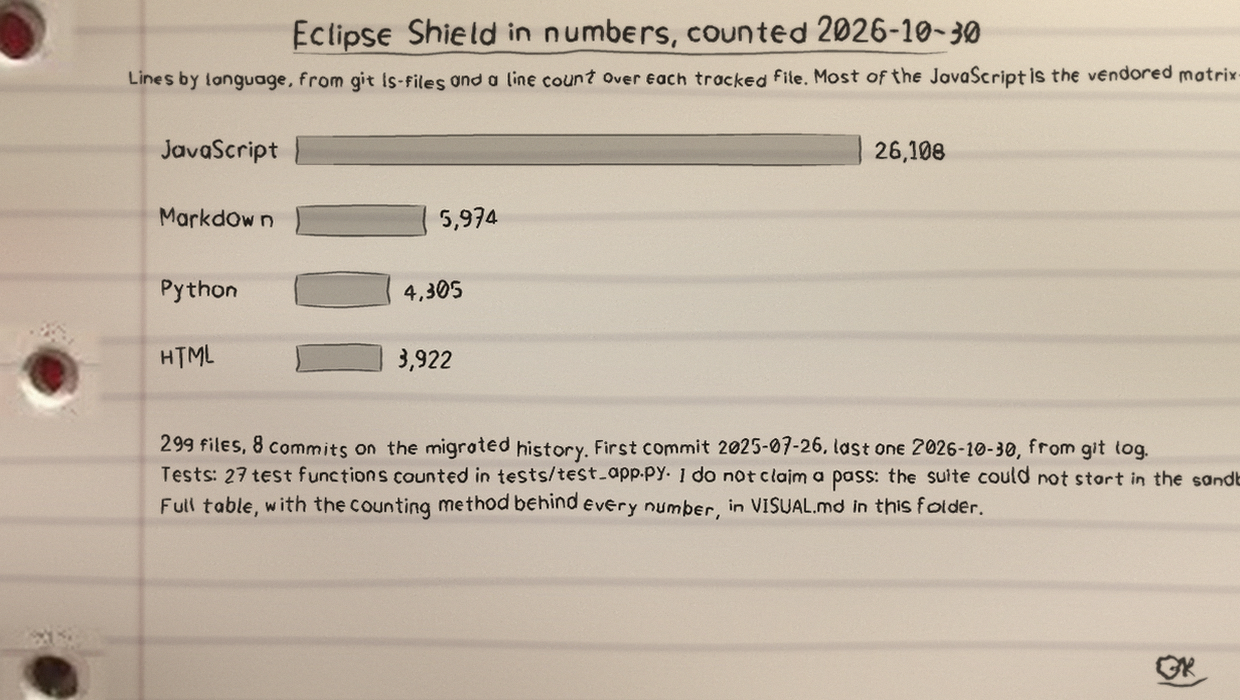
architecture.png, from Eclipse-Shield-Visuals: my drawing of how the parts of the project fit together.components.png, from Eclipse-Shield-Visuals: my drawing of the components, piece by piece.flowchart.png, from Eclipse-Shield-Visuals: my drawing of the flow a visit takes through the tool.statistics.png, from Eclipse-Shield-Visuals: a chart drawing from the project folder, presented as a drawing, not as measured results.product-map.png, from Eclipse-Shield-Visuals: my map of the product as I laid it out.schematic.png, from Eclipse-Shield-Visuals: my schematic sheet for the project.
Observation 04
Quick Start
Entry: the documented way
For macOS, the route the README recommends: read QUICKSTART.md and run the installer, ./install-local.sh. On any platform, without Docker:
The /health route returns JSON with a status, a timestamp, a version, and an ai field that reads configured when an analyzer with AI is available, and local-only when it is not. In local rules only mode it reports ai as local-only.
security_test.py runs against a live server. The pytest suite needs no server and no API key.
Observation 07
Where it stands
Entry: the honest part
Pasted slip, stated plainly
I will state plainly what the extension reads, because a tool that watches my browsing should not hide what it watches. The extension reads my browser history, up to 10,000 entries, my open tabs, and my bookmarks.
When I supply my own Gemini key, the extension and backend send browsing context to Google's Gemini API so the AI step in entry two can judge a visit against my stated context and goals. That context leaves my machine on that step. I know that, and I choose when to supply a key with that in mind.
Without a key, the tool runs local-only rules: my allow list, my block list, and my category rules, with no AI call. The /health route reports that state in its ai field.
This is a personal tool I built for my own focus. I keep the repo docs folder, with its nine files, as I wrote it, and I keep this site in Eclipse-Shield-Website, separate from that documentation.